
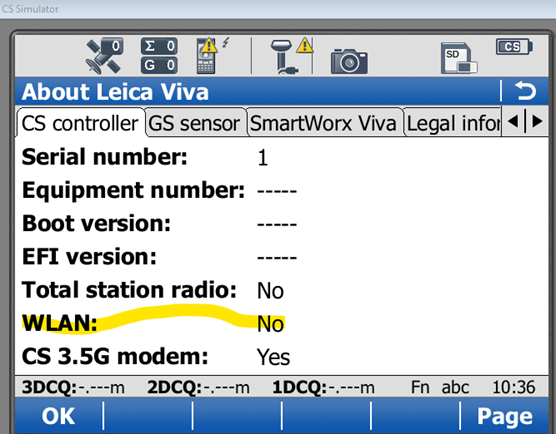
Firstly your CS15 must have the WLAN feature to check this go to User/About Leica Viva. If it says no then this option will not work if yes then below will work.
A suitable field device we have tested is the D-Link DWR-933M 4G WiFi Hotspot from PB tech at $122.50 but you can test this with hotspot from your cell phone.
Turn your Hotspot device on.
Now on the CS15 exit from Smartworx software and go into Windows by selecting Fn Home buttons.
Press Start then Settings Network and Dial Up connections.
Press and hold on the icon NXPWLAN1 and make sure its enabled.
Now from the Windows system tray on the bottom right side of screen select the Network Icon and select the Wireless Information tab.
Choose add new and search for your Wireless device, enter the WiFi password as necessary. Once this is done each time the Wifi is available the CS15 should automatically connect to it.
Go back to Smartworx.
Once back in Smartworx you still don’t get the option inside Internet settings to choose WLAN so its no point in trying to set up an RTK Rover wizard, however it recognises the Internet connection and uses that to connect to Smartfix.
Make sure you are on SmartWorx 9.07 on the GNSS receiver and CS15.
USE Port 380X rather than port 480X